/QuickCommands - Bash Command Picker
First commit: 12 November 2026
CLI Tool
Project Overview
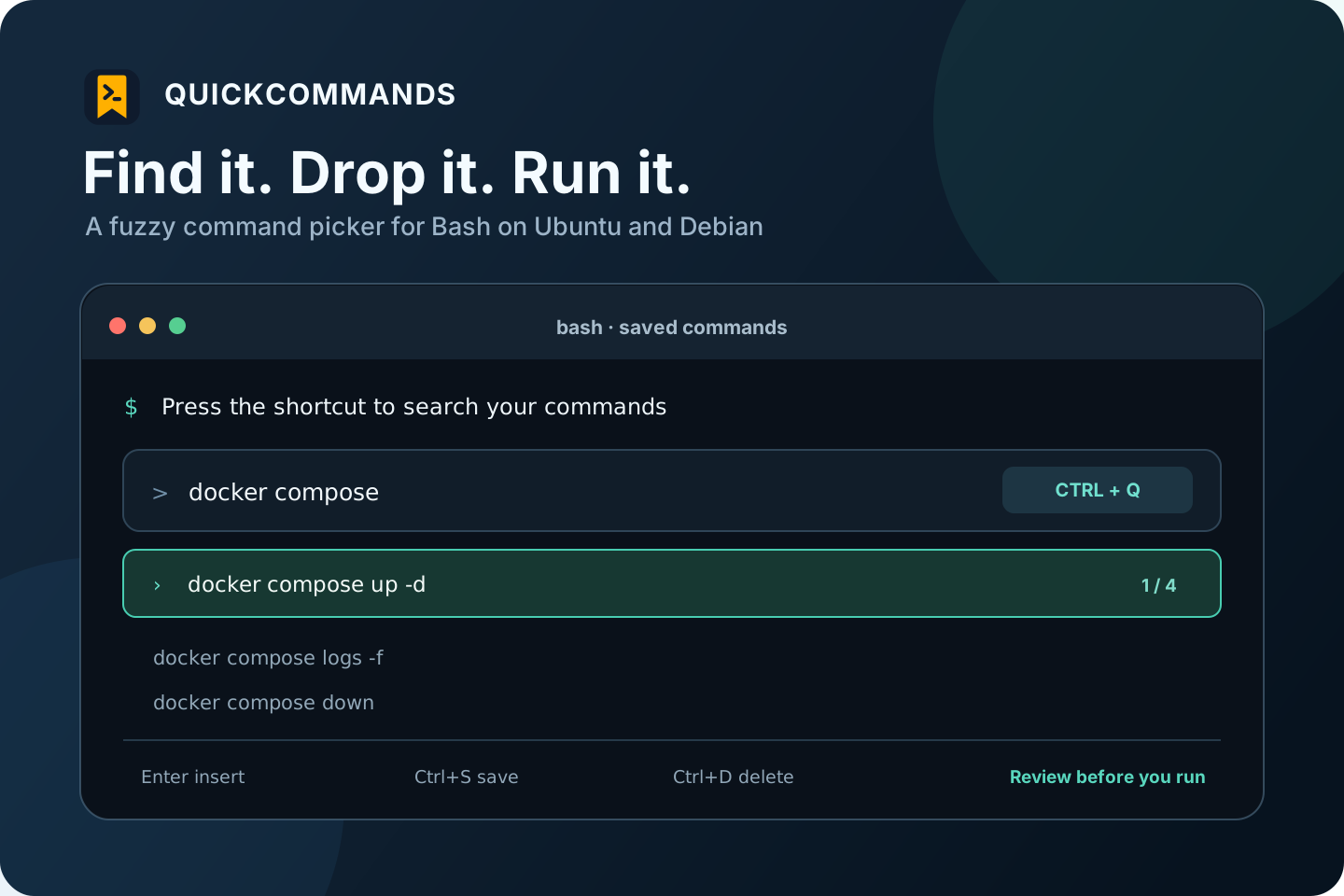
QuickCommands is a Bash utility that helps Ubuntu and Debian users find commands they have saved without searching through shell history or typing them again. Press Ctrl+Q to open a fast fuzzy-search menu powered by fzf.
Designed for a Safe Terminal Flow
- Search saved commands and move through the results with the arrow keys.
- Press Enter to put a command on the terminal line, review it, then press Enter again to run it.
- Save a command with
Ctrl+S, or delete a selected one withCtrl+Dafter confirming. - Keep saved commands in
~/.saved_commands, in a file readable only by the current user. - Leave
Ctrl+Ravailable for Bash's normal history search.
Platform and Release
The project targets Bash on Ubuntu and Debian, and provides a Debian package that installs its fzf dependency through apt. The repository includes build scripts, documentation, and tests.
View the v1.0.0 release or browse the source code on GitHub.
Tags - BashLinuxfzfCLIDebian Package